

Android App Roundup

Must-Have Android Apps, All in One Place

A hand-picked lineup of apps built by Yuichi Sato to solve everyday little frustrations.

Apps

See all apps on one page →

MediaToolbox icon

MediaToolbox

A simple multimedia conversion tool that handles video, images, audio, and PDFs all in one place.

Free 🌐 Japanese / English ✅ Live on Google Play
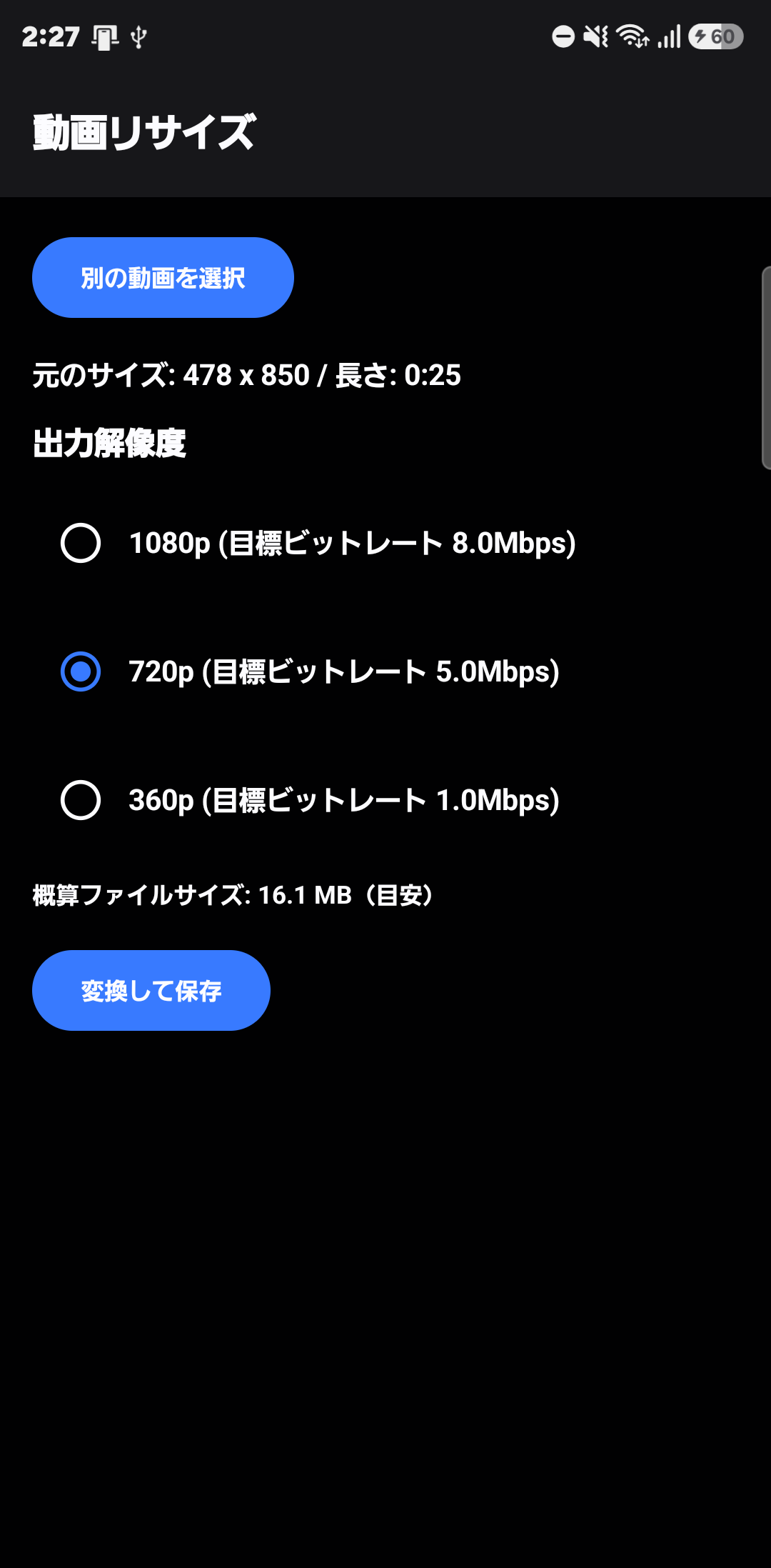
  • [Resize Video] Convert to MP4 at your choice of resolution — 1080p, 720p, 360p, and more
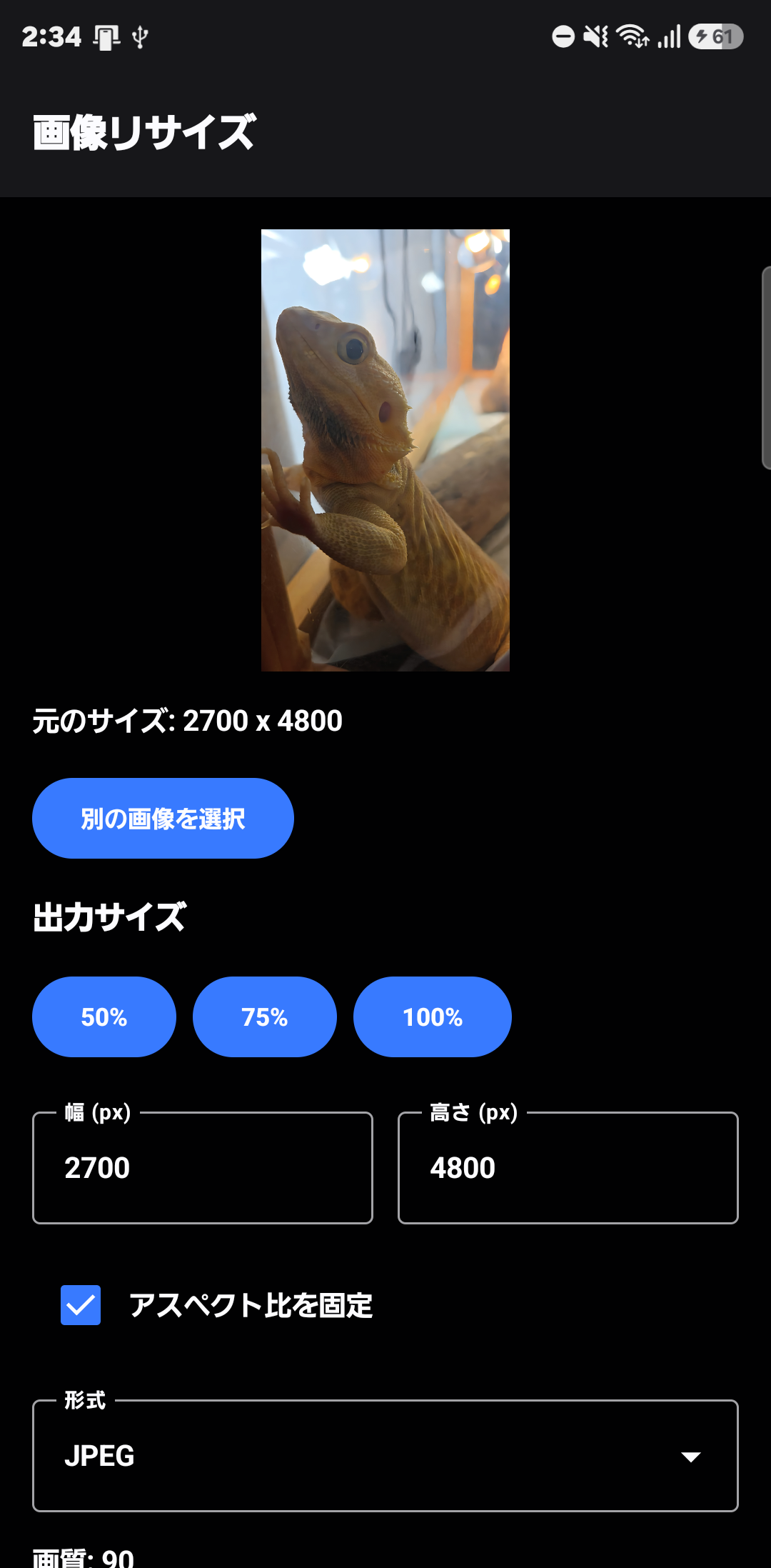
  • [Resize Image] Freely set width and height, with an optional aspect-ratio lock
  • [Extract Audio] Pull just the audio track out of a video and save it as M4A
  • [PDF to Images] Export every page of a PDF as JPEG or PNG
  • [Images to PDF] Build a PDF from photos taken with the camera or already saved on your phone
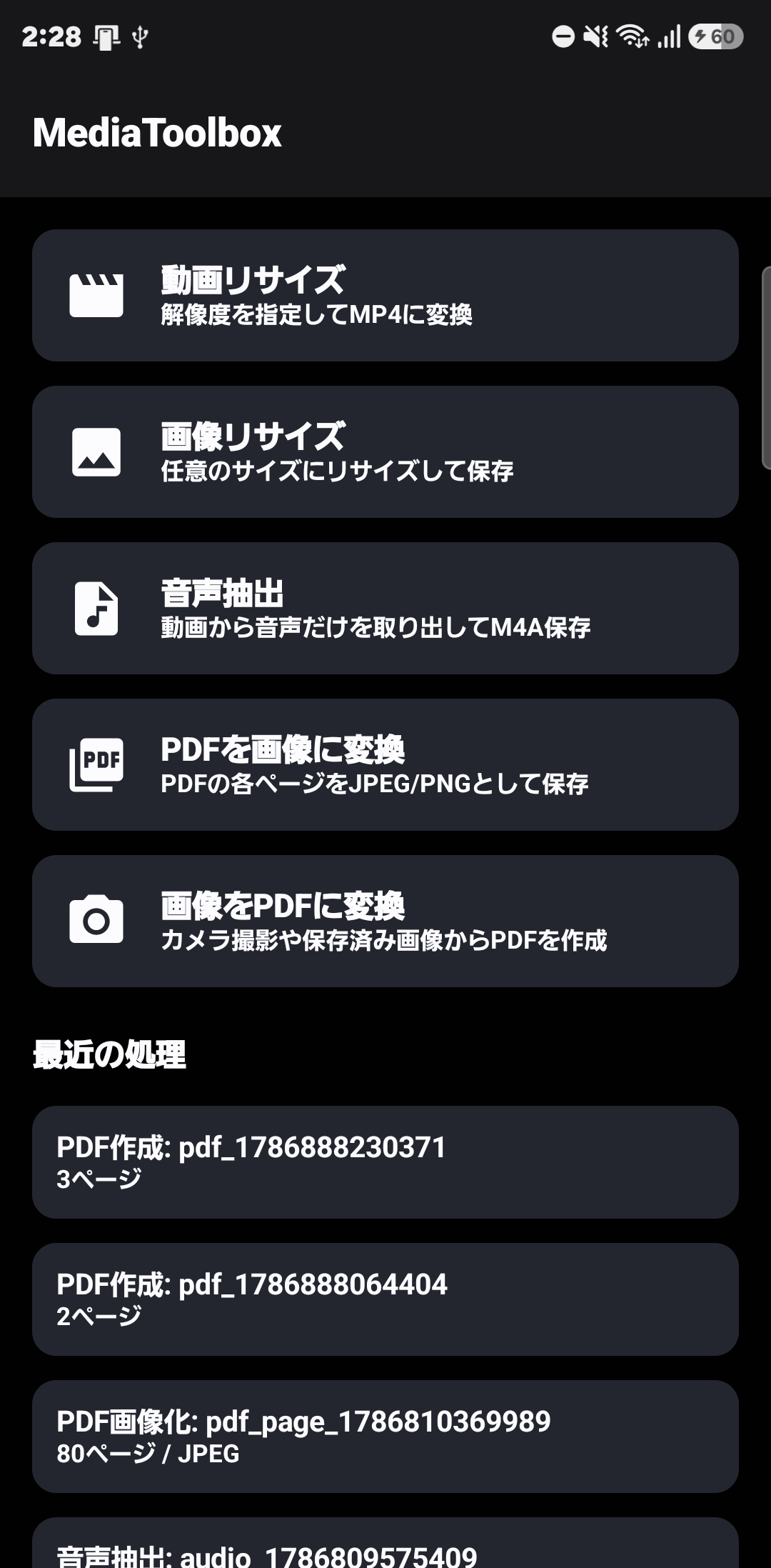
MediaToolbox home screen screenshot MediaToolbox video resize screen screenshot MediaToolbox image resize screen screenshot
📲 Free Download

See MediaToolbox's full features and how to use it →

PDF Toolkit icon

PDF Toolkit

Scan, merge, split, compress, and recognize text with OCR — the everyday PDF tasks, all in one app.

Free 🌐 Japanese / English ✅ Live on Google Play
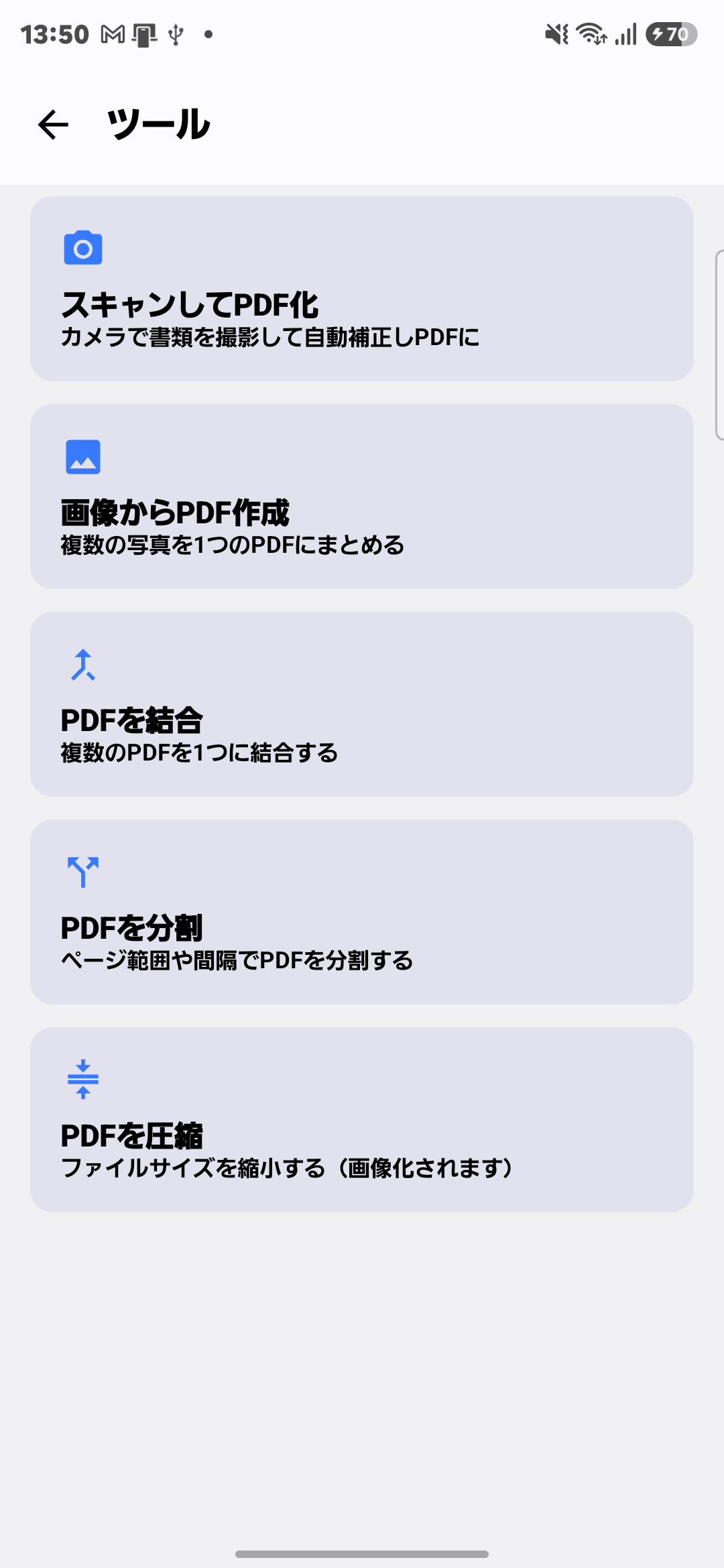
  • [Scan to PDF] Photograph a document and it's auto-corrected into a PDF
  • [Images to PDF] Combine multiple photos into a single PDF
  • [Merge PDFs] Combine multiple PDF files into one
  • [Split PDF] Split a PDF by page range or interval
  • [Compress PDF] Shrink file size (pages are converted to images)
  • [OCR Text Recognition] Make scanned text searchable and copyable
  • [Rotate Pages] Fix pages that are facing the wrong way
  • [Extract Pages] Pull out just the pages you need into a new PDF
  • [Share Page as Image] Share a single PDF page as a JPEG or PNG
  • [Handwritten Notes] Add a signature or note directly on the PDF
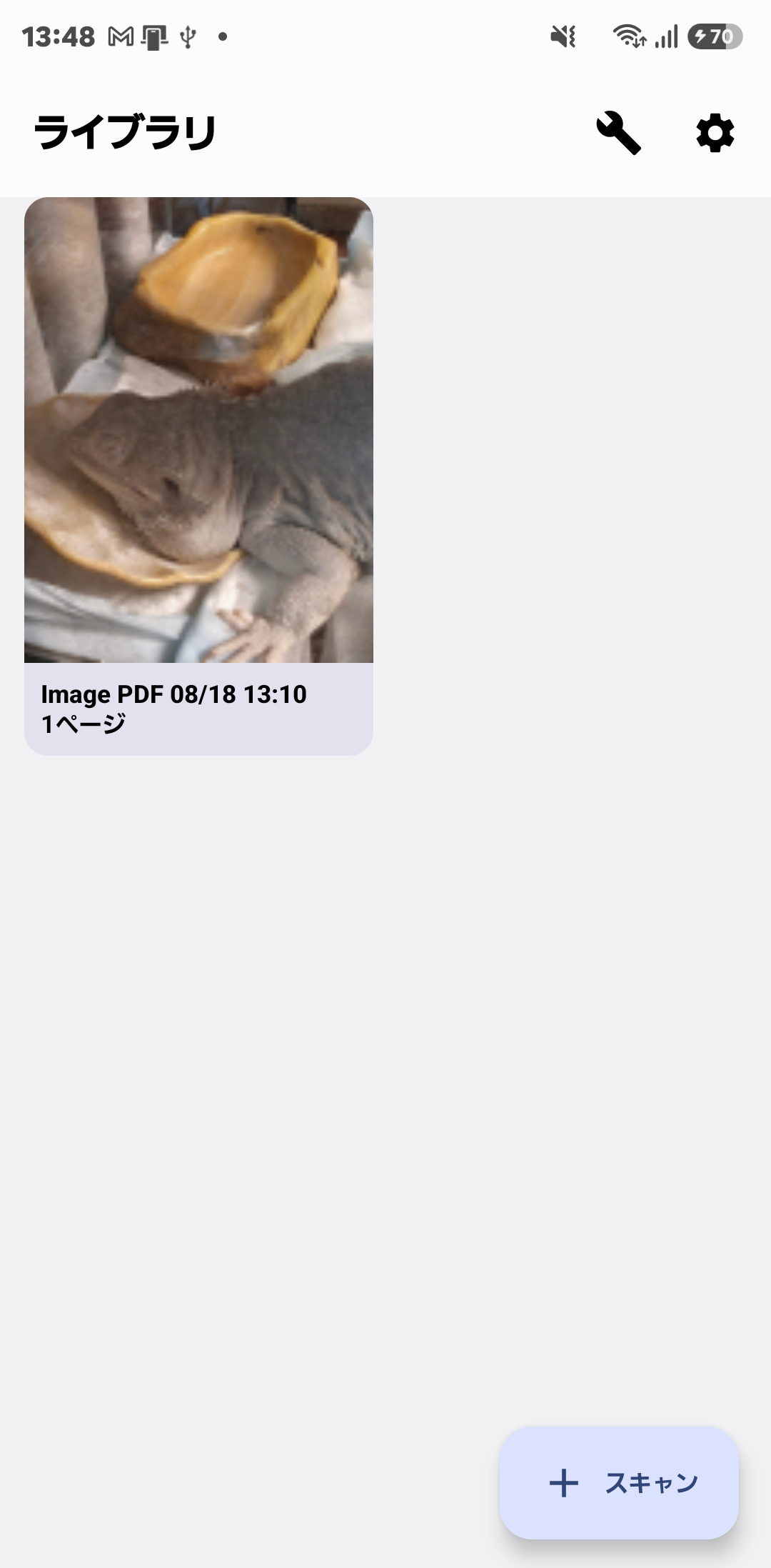
PDF Toolkit library screen screenshot PDF Toolkit tool list screen screenshot
📲 Free Download

See PDF Toolkit's full features and how to use it →

Rakuraku Step Counter icon

Rakuraku Step Counter

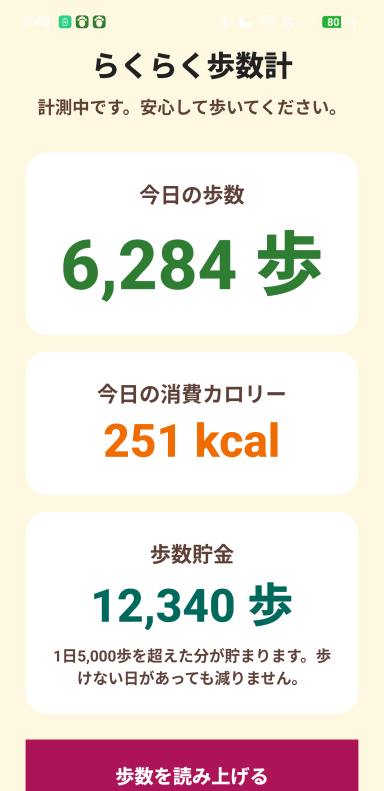
No buttons to press — automatic step tracking designed to be easy for seniors.

Free 🌐 Japanese / English
  • [Automatic Step Counting] Tracks your steps in the background — no need to even open the app
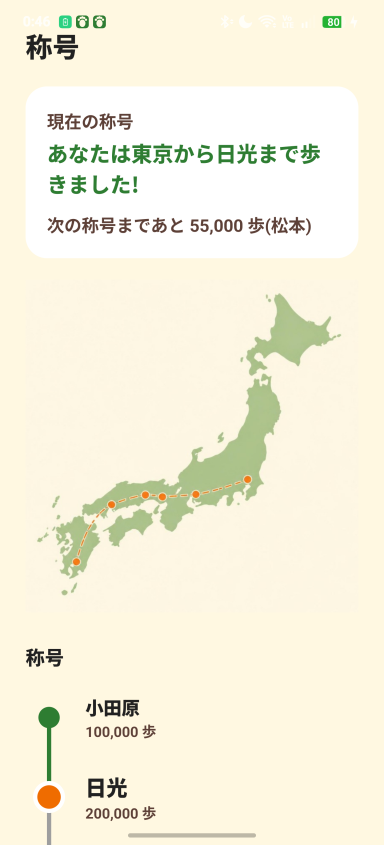
  • [Rank System + Journey Map] Your rank climbs every 100,000 steps, and the rank screen now shows a route map of the journey
  • [Step Banking] Steps over a 5,000/day baseline are banked; a short day never pushes your balance below zero
  • [Share with Family] Send today's steps and rank to family in one tap, via LINE, email, or any messaging app
  • [Voice Readout & Peer Comparison] Have today's total read aloud, and see how it compares to the average for your age group
Rakuraku Step Counter main screen screenshot Rakuraku Step Counter rank list screen screenshot
📲 Free Download

See the pedometer's full features and how to use it →

Readshot icon

Readshot

Just take a screenshot and it automatically reads the text — a screenshot manager with built-in OCR.

Free 🌐 Japanese / English
  • [Auto-Detect + Instant OCR] The moment you take a screenshot, it's detected automatically and text is recognized (OCR) right on the device — the result pops up immediately
  • [Copy or Share Just What You Need] Drag to select just part of the recognized text to copy or share (copies the full text if nothing is selected)
  • [URLs Open With a Tap] Any URL found in the recognized text is automatically turned into a link you can tap to open in your browser
  • [History List] Look back at the recognition results from past screenshots in a list
  • [Delete Individually or Clean Up in Bulk] Delete the history entry and the screenshot image itself together, or clean up clutter all at once
  • [Memo Feature] A notepad for jotting down text or pasting in copied text to save (URLs inside are tappable too)
  • [On-Device Processing for Privacy] Text recognition runs entirely on the device — images and recognized text are never sent to an external server
  • [Built-In Guide] A how-to page is always one tap away from the button in the top right
📲 Free Download

* Still preparing for release — this link may not work until it goes live.

See Readshot's full features and how to use it →

HagLog icon

HagLog

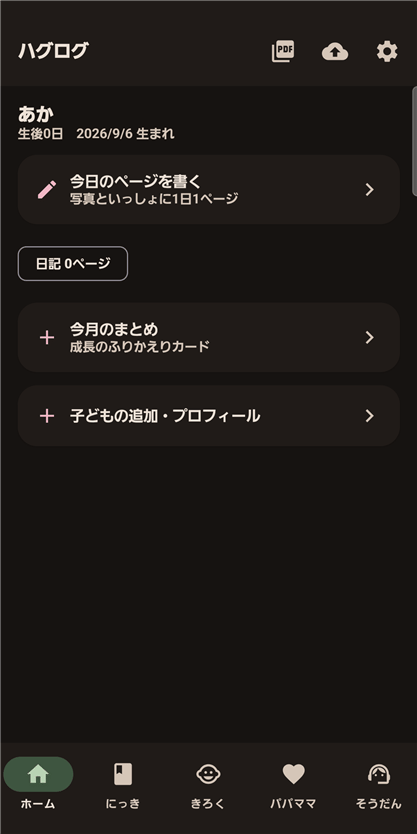
A daily photo diary, growth records, footprints, and a printable memory-book PDF. A digital baby record book that has room for parents too.

Free 🌐 Japanese / English / Chinese
  • [A one-page photo diary, every day] Add the day's photo along with what happened, your child's mood and the weather — look back by calendar or timeline
  • [A printable memory book (PDF)] Export a cover, profile, growth records and diary pages as a single PDF
  • [Hand & footprint scan] Photograph an ink hand or footprint and the app cleans up the background automatically
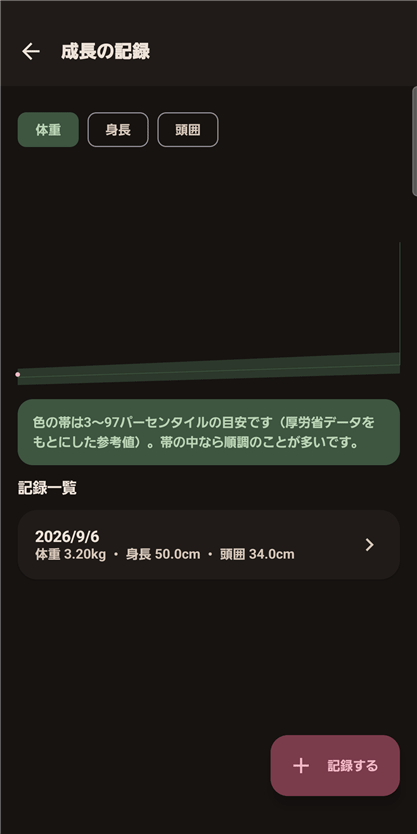
  • [Health-handbook records] Height, weight and head-circumference charts, plus vaccination and check-up schedules
  • [A childcare Q&A for worried moments] Guidance on fever, swallowing hazards and more, with a list of consultation contacts
  • [Records for parents too] Track your own mood, sleep, and physical condition
  • [Stored on-device for privacy] Everything stays on your device and is never sent to a server — no account required
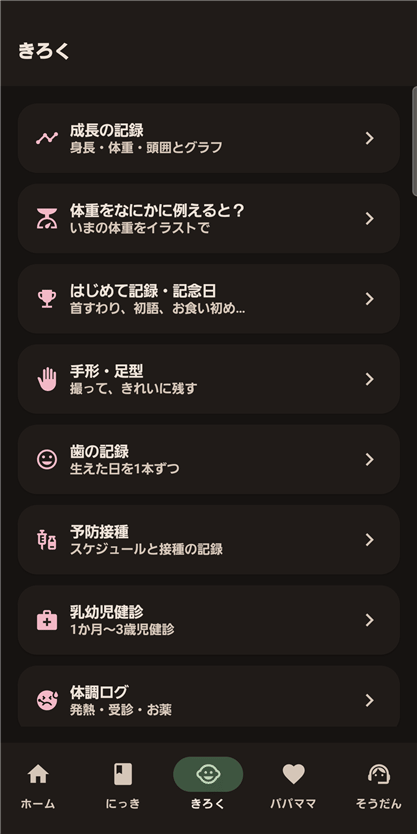
HagLog home screen screenshot HagLog growth chart screenshot HagLog records menu screenshot
📲 Free Download

* Still preparing for release — this link may not work until it goes live.

See HagLog's full features and how to use it →

Garmin Watch Faces

Nine watch faces, data fields and apps published on the Garmin Connect IQ store.

Aurum icon

Aurum

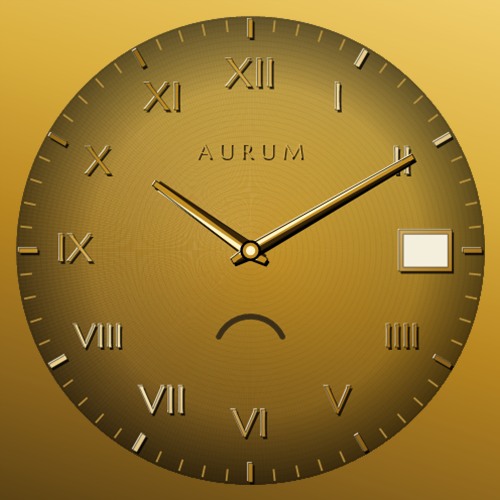
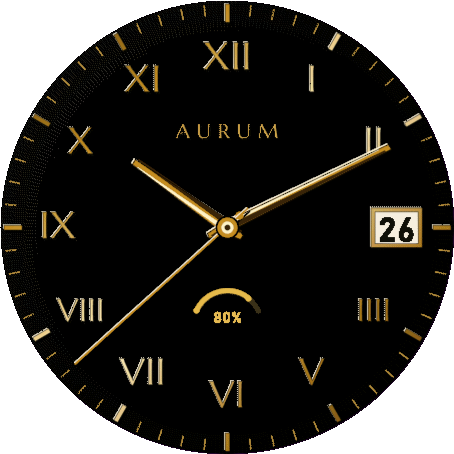
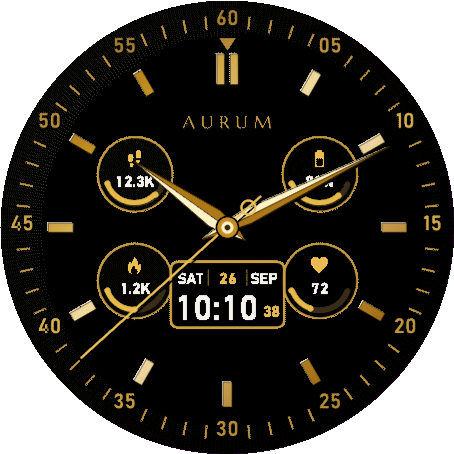
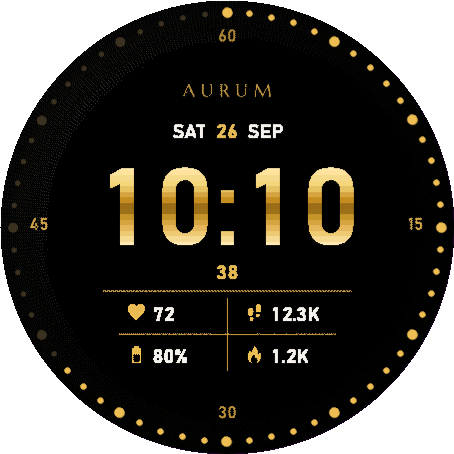
A gold watch face built the way a fine watch dial is built — layered, lit, and finished by hand. Frameless, with six finishes in one purchase, switchable any time from the settings.

24h free trial 🌐 English / 日本語対応 ✅ Live on Garmin Connect IQ
  • [Six finishes in one] Four Grand Roman dials (Onyx & Gold, Rose Gold, Champagne, Gunmetal & Gold) plus Chronometer and Digital Luxe — no second download needed
  • [Frameless] No bezel drawn on screen — the dial runs all the way to the edge of the display
  • [Up to 4 data fields] Choose from heart rate, steps, calories, floors climbed, distance, Body Battery, watch battery, or notification count
  • [Always-On support] Drops to a thin outlined treatment in low-power mode, easing battery drain and AMOLED burn-in
  • [Trial then one-time unlock] Everything is free for 24 hours after install. After that, a single US$5.99 unlock keeps it working — no subscription
Aurum Onyx & Gold finish screenshot Aurum Chronometer finish screenshot Aurum Digital Luxe finish screenshot
⌚ View on Garmin Connect IQ

* Payment is processed by the third-party service KiezelPay (credit card / PayPal), not Garmin directly.

See Aurum's full features and compatible watches →

Cairn icon

Cairn

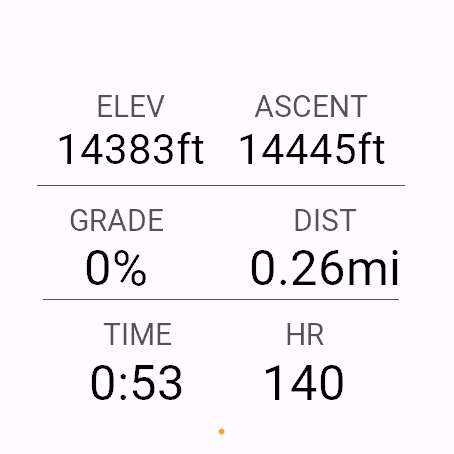
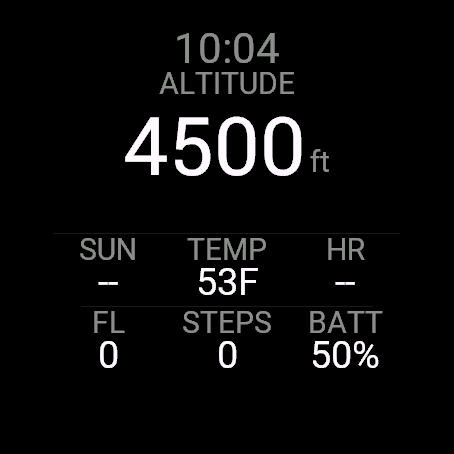
A full-screen data field built for climbing, not for the flat. Six numbers that matter on a climb, all on one screen.

Free 🌐 English / 日本語対応 ✅ Live on Garmin Connect IQ
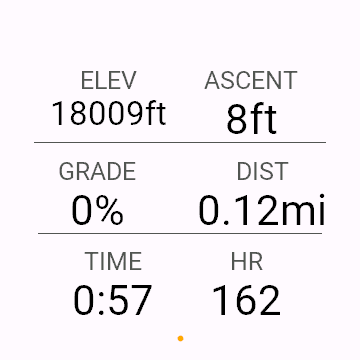
  • [Six metrics, one screen] ELEV, ASCENT, GRADE, DIST, TIME, HR
  • [Read at a glance] Every cell drawn the same way — small label, big value — high-contrast, no clutter
  • [No network, no permissions] Altitude, heart rate and location stay on the watch
  • [For Hike, Walk, Mountaineering, Trail Run] Adds as a single full-screen data field
Cairn six-metric screenshot on Venu 3 Cairn six-metric screenshot on Forerunner 265S
⌚ View on Garmin Connect IQ

See Cairn's full features and compatible watches →

Cairn Pro icon

Cairn Pro

Twelve climbing metrics on one screen — VAM, grade, ascent goal, daylight left. Cairn's paid edition.

5-activity free trial 🌐 English / 日本語対応 ✅ Live on Garmin Connect IQ
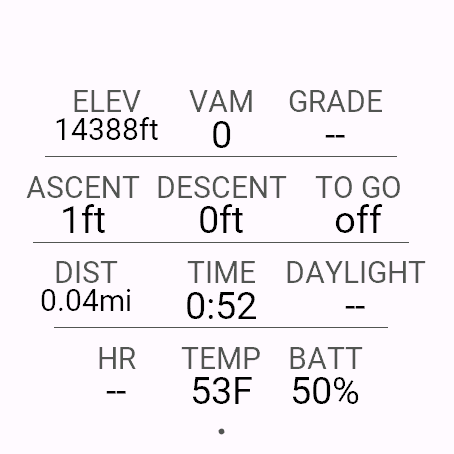
  • [Twelve metrics, one screen] ELEV, VAM (climb rate), GRADE, ASCENT, DESCENT, TO GO (ascent goal), DIST, TIME, DAYLIGHT, HR, TEMP, BATTERY
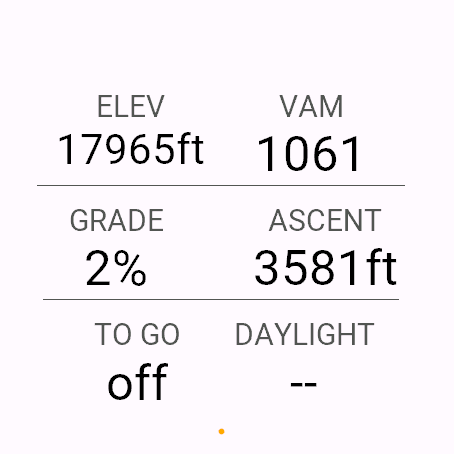
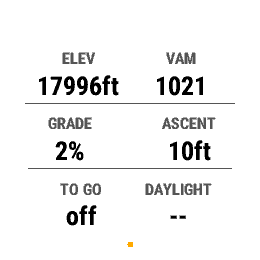
  • [Focus layout] Auto-drops to six large cells on narrower screens
  • [Daylight with no phone] Time until sunset, calculated on the watch from GPS — no weather data needed
  • [5 activities free, then US$2.49 one-time] No subscription, unlocks for good
Cairn Pro twelve-metric screenshot on Venu 3 Cairn Pro Focus layout screenshot on Venu 3 Cairn Pro Focus layout screenshot on fenix 7
⌚ View on Garmin Connect IQ

* Payment is processed by the third-party service KiezelPay (credit card / PayPal), not Garmin directly.

See Cairn Pro's full features and compatible watches →

Overwatch icon

Overwatch

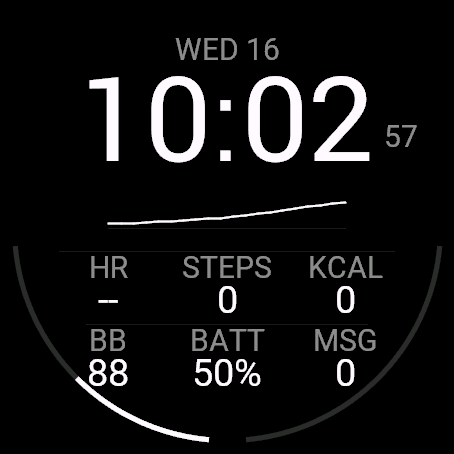
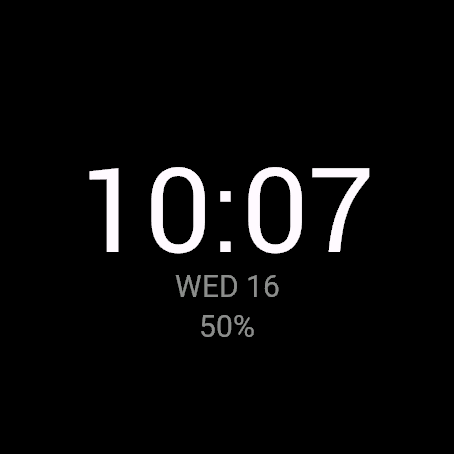
Five data layouts in one watch face — and it knows which one you need, switching automatically through the day.

24h free trial 🌐 English / 日本語対応 ✅ Live on Garmin Connect IQ
  • [5 layouts + Auto mode] Cockpit, Track, Trail, Recovery, Night — switches automatically to fit the moment
  • [4 accent colours] White, green, amber or cyan
  • [Always-On support] Drops to a dimmed time-only readout in low-power mode, easing AMOLED burn-in
  • [Trial then one-time unlock] Free for 24 hours after install. After that, a single US$3.99 unlock — no subscription
Overwatch Cockpit layout screenshot Overwatch Trail layout screenshot Overwatch Night layout screenshot
⌚ View on Garmin Connect IQ

* Payment is processed by the third-party service KiezelPay (credit card / PayPal), not Garmin directly.

See Overwatch's full features and compatible watches →

Empress icon

Empress

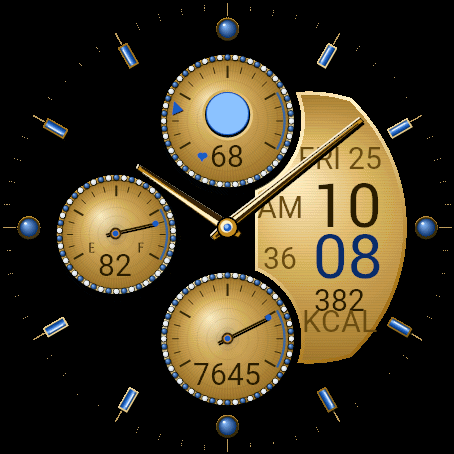
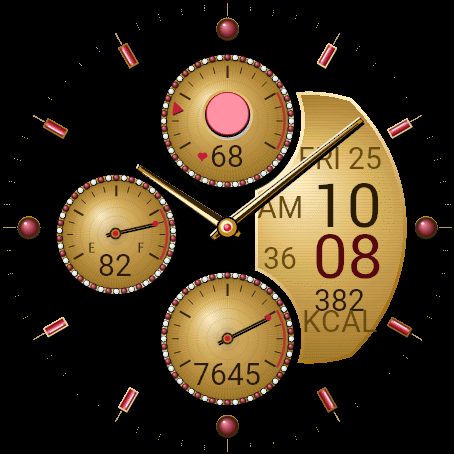
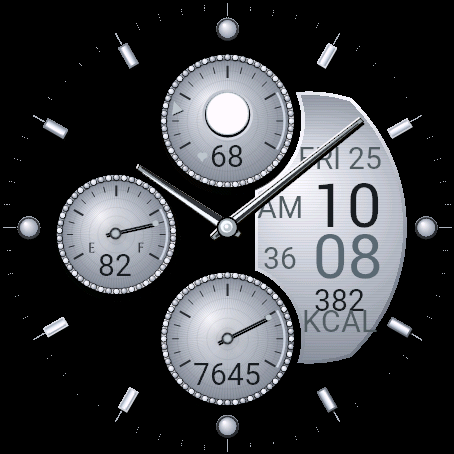
A jewelled chronograph-style watch face — frameless, edge-to-edge, with five genuine gemstone finishes in one download.

24h free trial 🌐 English / 日本語対応 ✅ Live on Garmin Connect IQ
  • [Five genuine gemstone finishes] Sapphire, Emerald and Ruby (gold subdials) plus Amethyst and Diamond White (platinum subdials), all in one purchase
  • [Three subdials] 12 o'clock: heart rate + moon-phase window, 9 o'clock: watch battery, 6 o'clock: steps against your daily goal
  • [Frameless design] No bezel ring — just a hairline minute track at the edge. Large digital time panel with a data field (calories, etc.)
  • [Trial then one-time unlock] Everything is free for 24 hours after install. After that, a single US$6.99 unlock keeps it working — no subscription
Empress Sapphire finish screenshot Empress Ruby finish screenshot Empress Diamond White finish screenshot
⌚ View on Garmin Connect IQ

* Payment is processed by the third-party service KiezelPay (credit card / PayPal), not Garmin directly.

See Empress's full features and compatible watches →

Cairn Cycle icon

Cairn Cycle

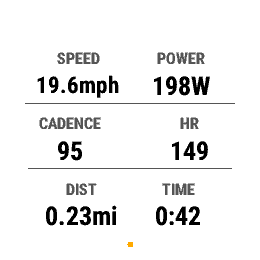
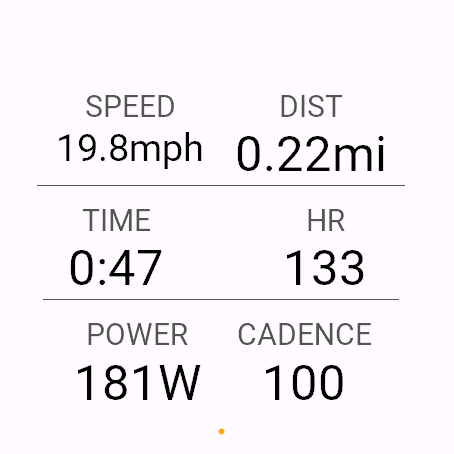
A full-screen data field built around speed, power and cadence — the cycling edition of the hiking-focused Cairn.

Free 🌐 English / 日本語対応 ✅ Live on Garmin Connect IQ
  • [Six metrics, one screen] SPEED, DIST, TIME, HR, POWER, CADENCE
  • [Read at a glance] Every cell drawn the same way — small label, big value — high-contrast, no clutter
  • [No network, no permissions] Speed, power, cadence and heart rate stay on the watch
  • [Built for cycling] Road, mountain, indoor, gravel — adds as a single full-screen data field
Cairn Cycle six-metric screenshot on Venu 3
⌚ View on Garmin Connect IQ

See Cairn Cycle's full features and compatible watches →

Cairn Cycle Pro icon

Cairn Cycle Pro

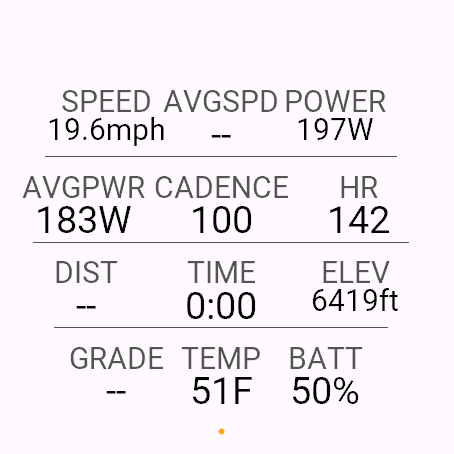
Twelve cycling metrics on one screen — speed, power, cadence and climb data. Cairn Cycle's paid edition.

5-activity free trial 🌐 English / 日本語対応 ✅ Live on Garmin Connect IQ
  • [Twelve metrics, one screen] SPEED, AVG SPD, POWER, AVG PWR, CADENCE, HR, DIST, TIME, ELEV, GRADE, TEMP, BATTERY
  • [Live + average side by side] Speed and power show current and ride-average at once, no screen switch needed
  • [Climb data included] ELEV and GRADE carry over from hiking Cairn — genuinely useful on a hilly ride
  • [5 activities free, then US$2.49 one-time] No subscription, unlocks for good
Cairn Cycle Pro twelve-metric screenshot on Venu 3 Cairn Cycle Pro Focus layout screenshot on fenix 7
⌚ View on Garmin Connect IQ

* Payment is processed by the third-party service KiezelPay (credit card / PayPal), not Garmin directly.

See Cairn Cycle Pro's full features and compatible watches →

Multitime icon

Multitime

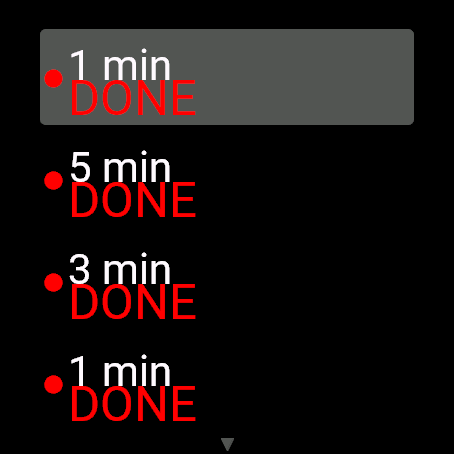
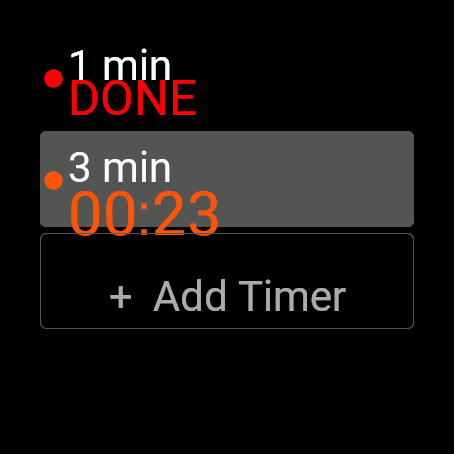
Pasta, dough and the oven, each on its own named timer. A Garmin app that runs several timers at once on one screen.

Completely free 🌐 English / 日本語対応 ✅ Live on Garmin Connect IQ
  • [Up to 3 timers at once] A 3-minute egg, 8-minute pasta or 25-minute Pomodoro, each counting down on its own
  • [Never lose track] When a timer finishes it shows DONE right where it is in the list
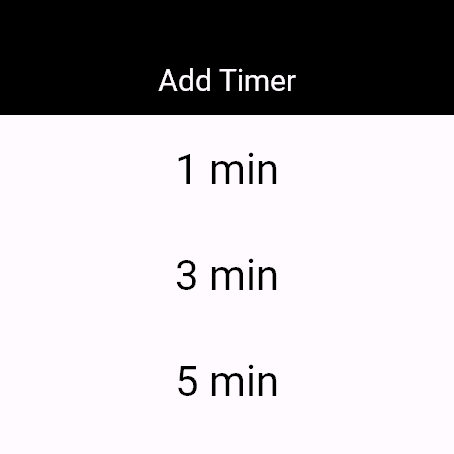
  • [Presets or any time] Presets from 1 to 30 minutes, Pomodoro 25+5 and HIIT 30s/10s, or any custom minutes:seconds
  • [Swipe and tap] Swipe to move between timers, tap to start, pause or restart
Multitime timer list screenshot on Venu 3 Multitime Add Timer menu screenshot on Venu 3
⌚ View on Garmin Connect IQ

See Multitime's full features and compatible watches →

Multitime Pro icon

Multitime Pro

Up to 20 timers, a different vibration per timer and saved presets. The upgraded edition of Multitime.

3 timers free 🌐 English / 日本語対応 ✅ Live on Garmin Connect IQ
  • [Up to 20 timers] Run up to 20 at once
  • [Per-timer vibration] Know which timer finished by feel, without looking at your wrist
  • [Saved presets] Save your own durations (e.g. "risotto 18:00") for one-tap reuse next time
  • [Pro features are a one-time US$2.49] 3 timers stay free forever; Pro unlocks for good with no subscription
Multitime Pro running more than three timers on Venu 3
⌚ View on Garmin Connect IQ

* Payment is processed by the third-party service KiezelPay (credit card / PayPal), not Garmin directly.

See Multitime Pro's full features and compatible watches →

Kichijitsu icon

Kichijitsu

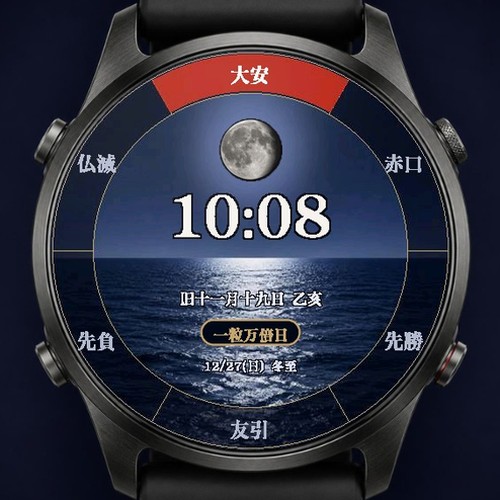
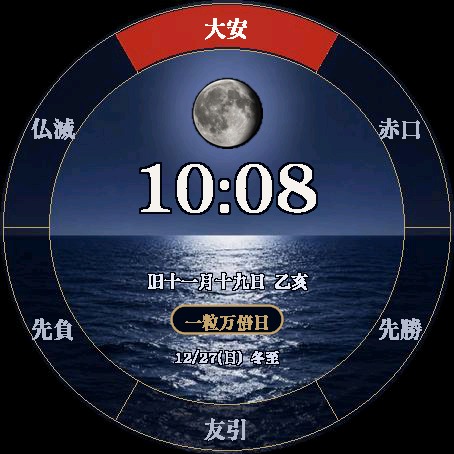
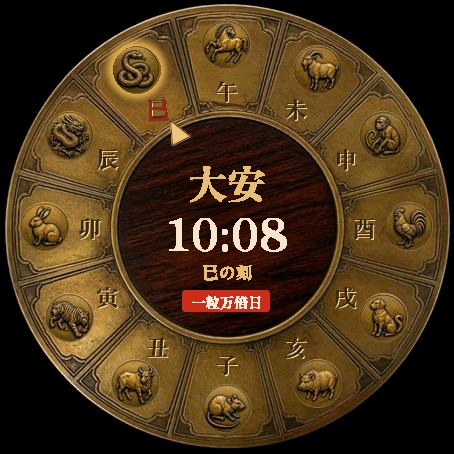
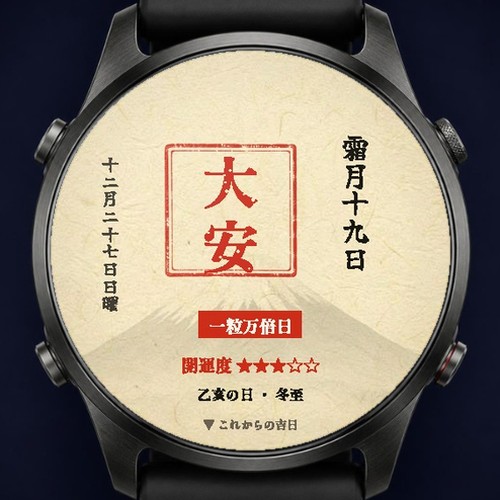
Is today Taian? Ichiryu Manbai-bi? A Japanese lucky-day watch face that answers at a glance, with three designs: Goshuin, Moon over the Night Sea and Edo Wadokei.

24h free trial 🌐 Text in Japanese ✅ Live on Garmin Connect IQ
  • [Rokuyo and lucky days] Taian and the other rokuyo, plus Ichiryu Manbai-bi, Tenshanichi, day of the tiger, Tsuchinoto-mi, day of the snake and Kinoe-ne
  • [Strongest lucky day and countdown] Flags days when Tenshanichi and Ichiryu Manbai-bi coincide, and counts down to the next lucky day
  • [Three Japanese designs] Goshuin, Moon over the Night Sea and Edo Wadokei, switchable in the settings; lunar date, sexagenary day and solar terms too
  • [Try, then buy once] Everything is free for 24 hours after install, then a one-time US$3.99 unlock (no subscription)
Kichijitsu Goshuin design screenshot Kichijitsu Moon over the Night Sea design screenshot Kichijitsu Edo Wadokei design screenshot
⌚ View on Garmin Connect IQ

* Payment is processed by the third-party service KiezelPay (credit card / PayPal), not Garmin directly.

See Kichijitsu's full features and compatible watches →

Kichijitsu Calendar icon

Kichijitsu Calendar

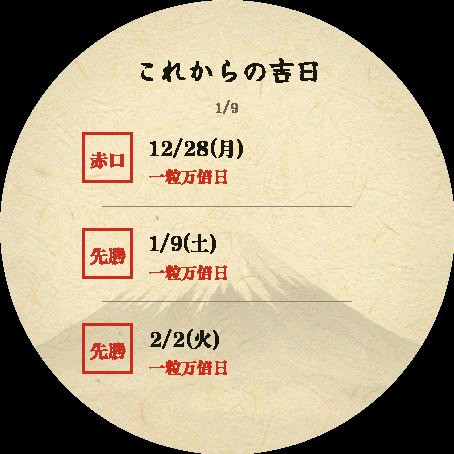
A free app that lists the Japanese lucky days of the next 180 days on your watch, plus today's rokuyo, lunar date and luck score.

Completely free 🌐 Text in Japanese ✅ Live on Garmin Connect IQ
  • [180 days ahead] Tenshanichi, Ichiryu Manbai-bi, day of the tiger, Taian and their overlaps, in date order
  • [Today's calendar] Rokuyo, lunar date, sexagenary day, solar term and a 5-star luck score
  • [No network] Everything is calculated on the watch (data through 2036)
Kichijitsu Calendar today screen screenshot Kichijitsu Calendar upcoming lucky days screenshot
⌚ View on Garmin Connect IQ

See Kichijitsu Calendar's features and compatible watches →

Free vs Pro

Cairn, Cairn Cycle and Multitime each come as a free app and a separate paid Pro app. Here is exactly what differs (taken from each app's source code and manifest).

Cairn / Cairn Pro

FeatureCairn (free)Cairn Pro
Metrics on screen612
MetricsELEV, ASCENT, GRADE, DIST, TIME, HRThe 6 on the left + VAM, DESCENT, TO GO, DAYLIGHT, TEMP, BATTERY
Distance to ascent goal (TO GO)NoYes (set your own ascent goal)
Time until sunset (DAYLIGHT)NoYes (calculated on the watch from GPS)
Focus layout (6 large cells)NoYes (switch in settings)
Supported watches6963 (free version minus fēnix 6 series and enduro)
Network / permissionsNoneKiezelPay server only, to check unlock status
PriceFreeFree for the first 5 activities, then a one-time US$2.49

Cairn Cycle / Cairn Cycle Pro

FeatureCairn Cycle (free)Cairn Cycle Pro
Metrics on screen612
MetricsSPEED, DIST, TIME, HR, POWER, CADENCESPEED, AVG SPD, POWER, AVG PWR, CADENCE, HR, DIST, TIME, ELEV, GRADE, TEMP, BATTERY
Average speed / average powerNoYes (next to the live values)
Elevation / gradeNoYes
Focus layout (6 large cells)NoYes (switch in settings)
Supported watches6963 (free version minus fēnix 6 series and enduro)
Network / permissionsNoneKiezelPay server only, to check unlock status
PriceFreeFree for the first 5 activities, then a one-time US$2.49

Multitime / Multitime Pro

FeatureMultitime (free)Multitime Pro
Timers at onceUp to 3Up to 20
Vibration patternDefault onlyChoose one per timer
Saved presetsNo (quick presets and custom times still work)Yes (save your own durations)
Supported watches7070 (same as free)
NetworkNoneKiezelPay server only, to check unlock status
PriceFree3 timers free forever; Pro features are a one-time US$2.49

Free trials of the paid apps

Every paid app can be tried for free before you buy. Payment is handled by the third-party service KiezelPay, not Garmin (card or PayPal; one-time purchase, no subscription).

AppFree trialPrice after the trialStore
AurumYes (24 hours after install)US$5.99View on the store
OverwatchYes (24 hours after install)US$3.99View on the store
EmpressYes (24 hours after install)US$6.99View on the store
Cairn ProYes (first 5 activities)US$2.49View on the store
Cairn Cycle ProYes (first 5 activities)US$2.49View on the store
Multitime Pro3 timers free forever (a 4th timer, vibration patterns and saved presets are paid)US$2.49View on the store
KichijitsuYes (24 hours after install)US$3.99View on the store

Books

Published on Kindle: a scuba diving logbook and practical guides to building your own PC.

MY 100 DIVES cover
Diving Logbook ¥1,628

MY 100 DIVES: Scuba Diving Logbook (100 Dives Recorded — and Beyond)

A fill-in dive logbook that already covers everything needed to prove your experience level — depth, water temperature, remaining pressure, weight, visibility, and a sign-off column. Includes 100 dive-log pages, milestone pages at key counts (1, 10, 25, 40, 50, 60, 75, 100 dives), a diver profile, a gear checklist, and a bilingual (Japanese/English) marine-life checklist. For anyone working toward a pro rating, or simply keeping a personal record.

📖 Read on Kindle — ¥1,628

See what this book covers →

The Golden Ratio PC Build Bible cover
PC Build Guide ¥480

The "Golden Ratio" PC Build Bible: Parts & Gadget Optimization From Someone Who's Built 100+ PCs [2026 Edition]

Written by someone who has personally built over 100 PCs, this guide lays out a "golden ratio" build that wastes not a single yen of your 2026 budget. Covers three build routes by budget — under ¥100K, under ¥200K, and the ¥300K range — plus the peripherals worth investing in to work faster. For anyone about to overpay for a lopsided pre-built PC.

📖 Read on Kindle — ¥480

See what this book covers →

Double Your PC's Lifespan cover
PC Build Guide ¥480

Double Your PC's Lifespan: A Complete Guide to Custom-PC Maintenance & Troubleshooting

From a builder who's assembled over 100 PCs: the physical maintenance that doubles your machine's lifespan, and the troubleshooting skills to solve sudden problems yourself. Covers reapplying CPU thermal paste, reading temperature/voltage/storage health, a step-by-step flowchart for when the PC won't boot, and decoding error codes — all in hands-on, practical detail.

📖 Read on Kindle — ¥480

See what this book covers →

No More Leasing cover
Custom PC × Cost Cutting ¥480

No More Leasing: The Complete Cost-Cutting Bible for Startups and Freelancers — Custom PCs & Self-Maintenance

A practical playbook for cutting costs by ditching monthly PC leases in favor of building and maintaining your own. Covers a lease-vs-buy total cost comparison, tax-saving techniques using Japan's small-value depreciable-asset rules, a proven parts-selection formula, preventive-maintenance steps, and NAS-based data protection (the 3-2-1 rule).

📖 Read on Kindle — ¥480

See what this book covers →

Recommended Gear

Based on experience building over 100 custom PCs, here's some of the PC and desk-setup gear I actually use in my daily work and writing setup.

[Ad] Product links in this section include affiliate links through the Amazon Associates and Rakuten Affiliate programs. If a product is purchased through one of these links, this site may receive a referral fee. Everything listed is gear I actually use.
Laptop

ASUS Zenbook (Core Ultra 9 386H)

An ASUS Zenbook laptop built around an Intel Core Ultra 9 386H. My current main machine, used for writing, preparing materials, and paired with an external eGPU.

View on Amazon
Keyboard

Keychron Q3 Ultra 8K

Keychron's high-end custom keyboard, supporting an 8000Hz polling rate with a gasket-mount design. My main keyboard.

View on Amazon
Portable Monitor

EVICIV 17.3" 2K 144Hz Portable Monitor

A 17.3-inch portable monitor supporting 2560x1440 resolution and a 144Hz refresh rate. I use it as a second screen wherever I'm working, on the go or at my desk.

View on Rakuten
Gaming Monitor

Titan Army P245MS+

A gaming monitor with a 24.5-inch Fast IPS panel running WQHD (2560x1440) at 320Hz. My main display for the desk setup.
Note: the P245MS+ has been discontinued, so the link goes to its successor, the P245MS PRO (24", WQHD, 380Hz).

View the successor on Amazon

See all custom PC & desk setup gear →

Profile

Yuichi Sato is an entrepreneur, application developer, and business consultant based in Hokkaido, Japan. He built his career in telecom infrastructure sales — door-to-door fiber-optic internet (Flet's Hikari, au Hikari, TEPCO Hikari) and business phone sales — before moving into advanced insurance consulting: individual life and third-sector (medical, cancer) insurance at Japan Post Insurance, auto and other property insurance at Tokio Marine Nichido, and corporate life insurance solutions. Across this wide range of financial and insurance products, he has systematized an approach to reading customer psychology and closing deals.
Career & Achievements

  • Telecom, Infrastructure & Store Management Door-to-door sales of fiber-optic internet (Flet's Hikari, au Hikari, TEPCO Hikari) and business phone systems, including negotiating equipment installation in apartment buildings. Led store operations and sales strategy as a store manager and area supervisor for mobile carrier shops.
  • Insurance & Financial Consulting Proposed life and third-sector insurance at Japan Post Insurance, handled auto and other property insurance at Tokio Marine Nichido, and led corporate life insurance sales. Worked solution-based sales addressing complex needs, from individual life planning to corporate financial strategy.
  • Technology & Development Drawing on experience building over 100 custom PCs and deep hardware/software knowledge, he plans and develops practical applications that turn users' latent needs into real products.

By combining the ability to identify customers' underlying problems — honed on the front lines — with the hardware and software insight gained from building and testing 100+ custom PCs and gadgets, he plans, builds, and ships applications that are both genuinely useful and distinctly his own.

The custom PC parts and desk setup gear he actually uses are introduced in the gear roundup.

Full profile and editorial policy →