MediaToolbox | Free App to Convert Video, Images & PDFs
"This video file is too big to send." "I want to resize an image right on my phone." "I need to turn this PDF into images." If you're hunting for a different app every time, MediaToolbox brings video, image, audio, and PDF conversion together into one free app.
In short: with MediaToolbox installed, you can handle nearly all your video, image, and PDF conversion needs without a computer.
MediaToolbox
A simple multimedia conversion tool that handles video, images, audio, and PDFs all in one place. The first app to reach for whenever you need to convert something.
📲 Free DownloadWho is this for?
MediaToolbox is a good fit if you've run into any of these on your phone:
- A video file too large to send over LINE or email
- A video format that won't play, and you need it in standard MP4
- Wanting to resize an image (width/height) right on your phone
- Needing to convert between image formats (JPEG/PNG/WEBP)
- Wanting to turn a PDF into images, or images into a PDF
- Needing to pull just the audio out of a video
Key features
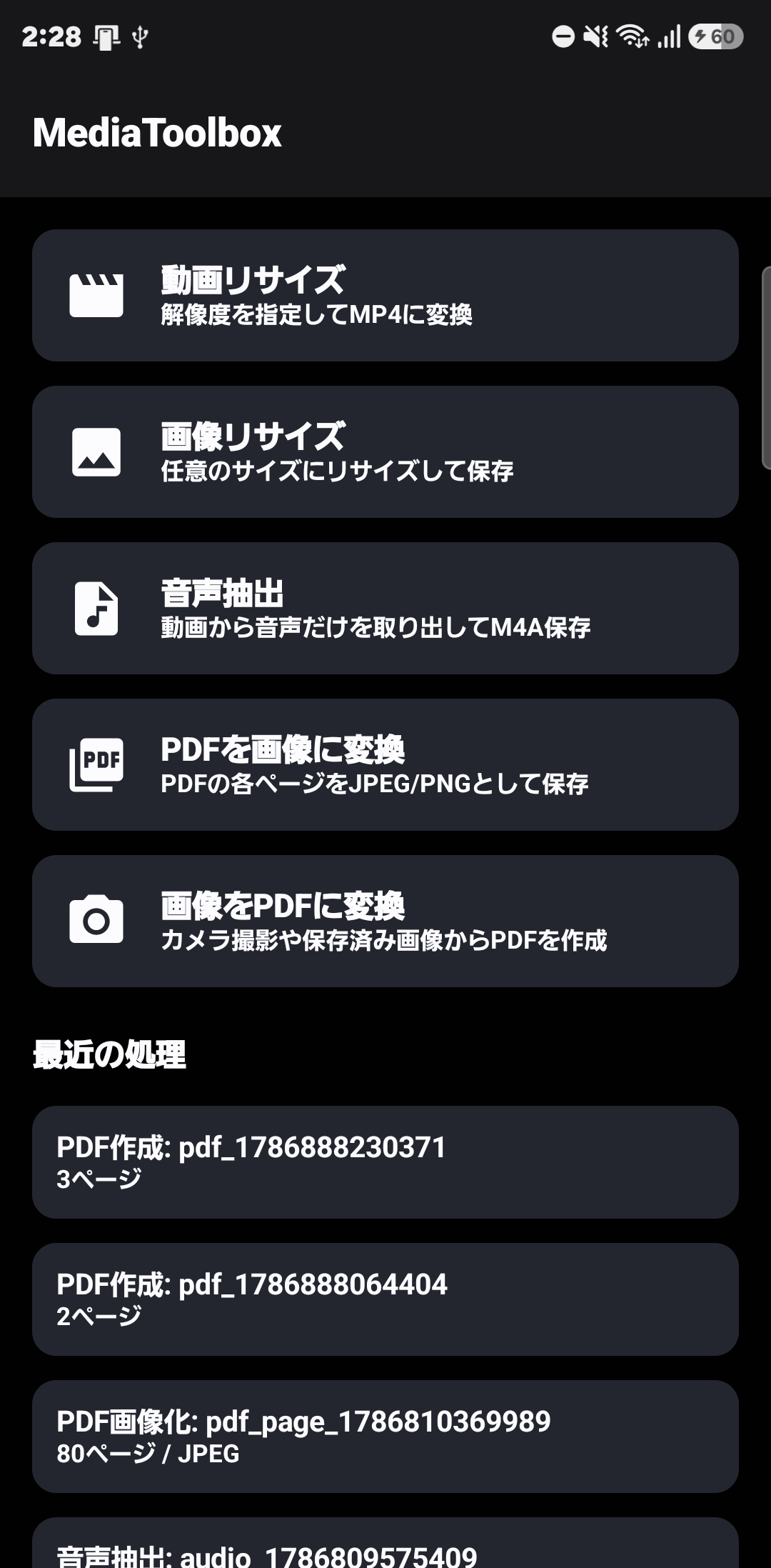
| Feature | What it does |
|---|---|
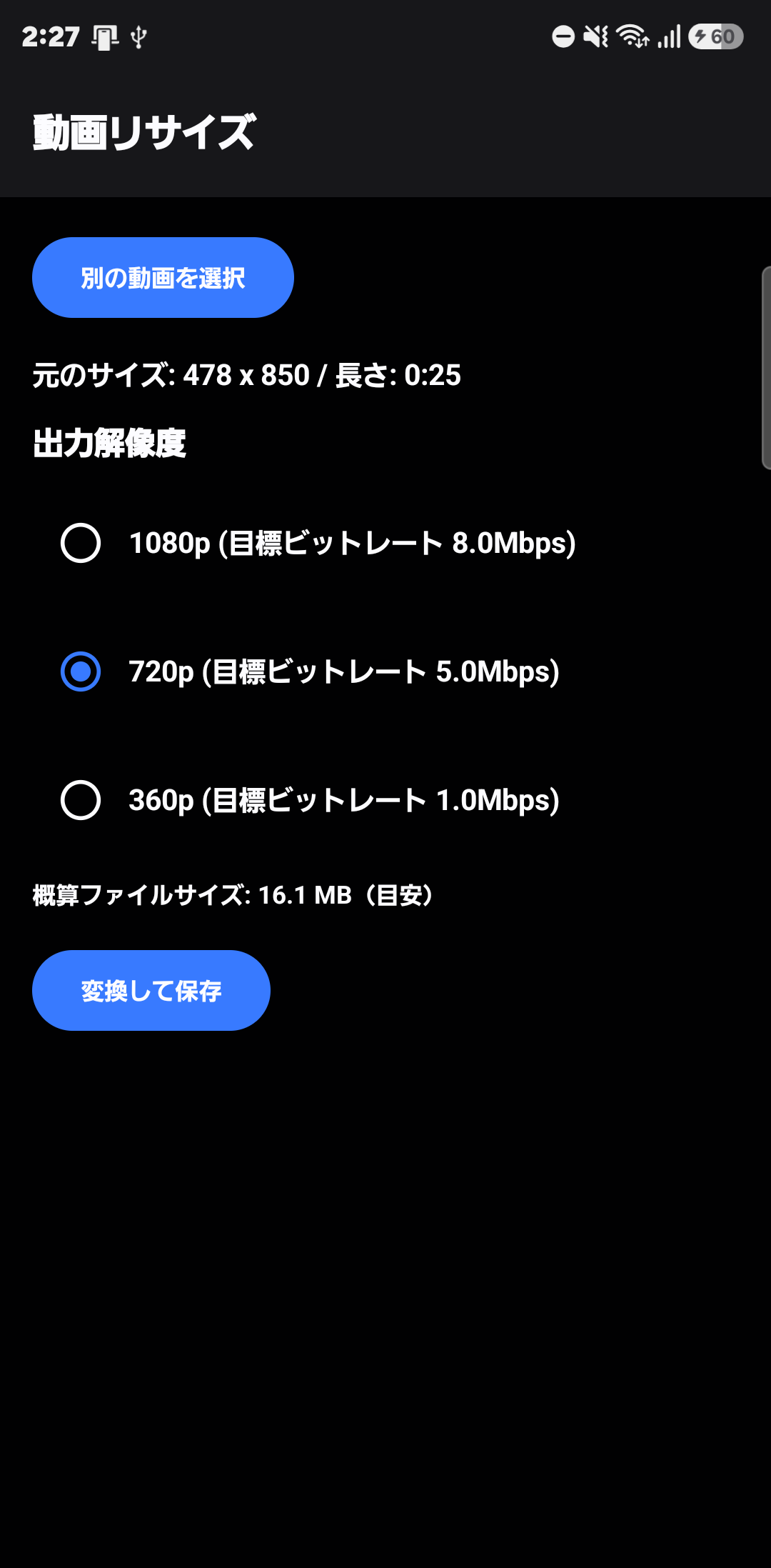
| Resize Video | Convert to MP4 at your choice of resolution — 1080p, 720p, 360p, and more |
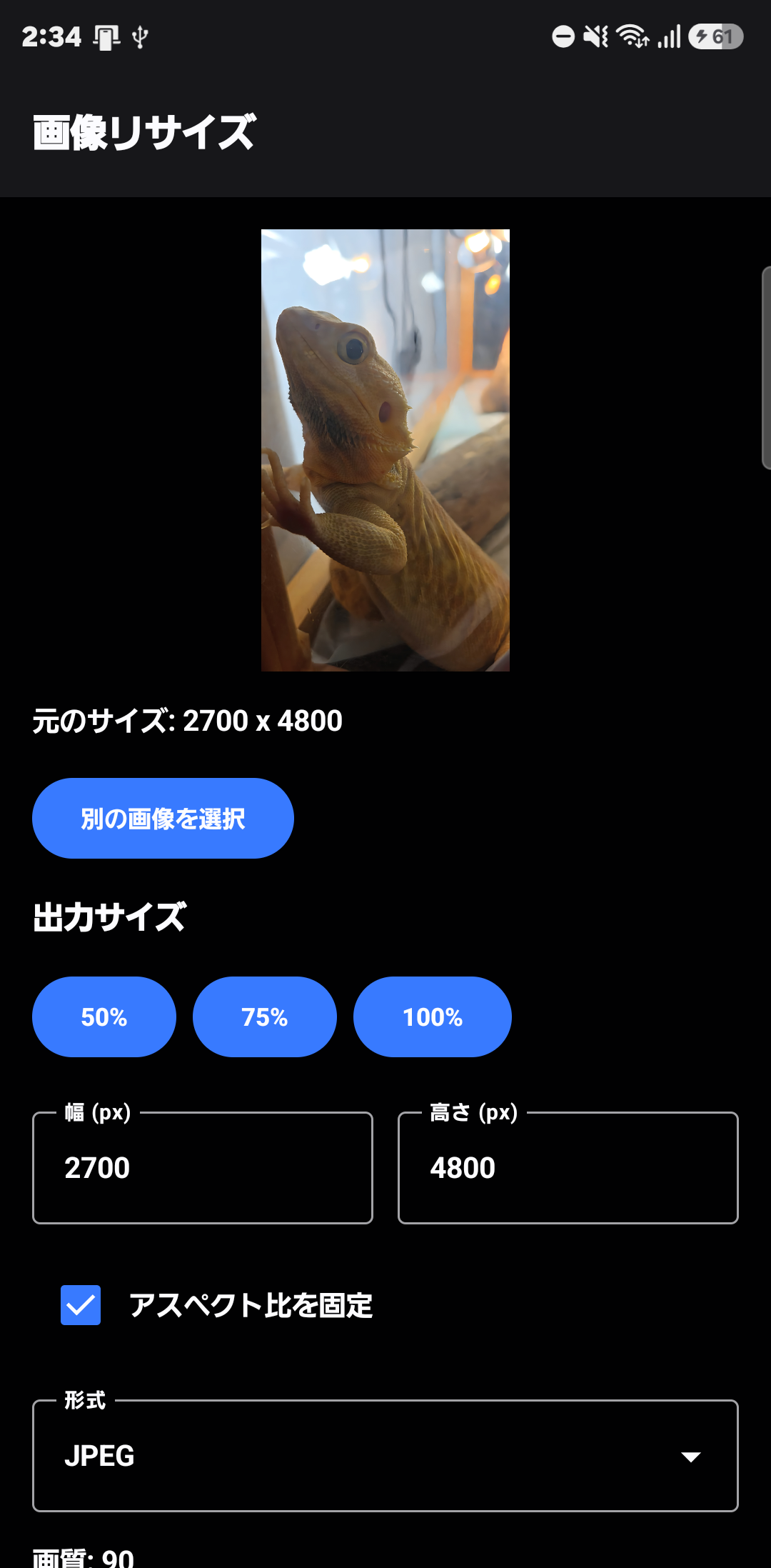
| Resize Image | Freely set width and height, with an optional aspect-ratio lock |
| Extract Audio | Pull just the audio track out of a video and save it as M4A |
| PDF to Images | Export every page of a PDF as JPEG or PNG |
| Images to PDF | Build a PDF from photos taken with the camera or already saved on your phone |
How it works
The basic flow is the same across every feature: open the app, pick the file (video, image, or PDF) you want to convert, set the output condition (resolution, size, or format), and tap "Convert & Save." Step-by-step guides for each feature are linked below.
FAQ
Q. Is MediaToolbox free to use?
A. Yes. You can download it for free from Google Play.
Q. Can I convert video without a computer?
A. Yes. Resolution changes, MP4 conversion, and compression can all be done entirely on your Android phone.
Q. Can I resize or convert images too?
A. Yes. You can resize by width and height (with an optional aspect-ratio lock), and convert between JPEG, PNG, and WEBP.
Q. Does it handle PDF conversion?
A. Yes. You can export every page of a PDF as a JPEG or PNG, or build a PDF from images.
Q. Can I extract just the audio from a video?
A. Yes. You can extract just the audio track from a video and save it as an M4A file.
Struggling with video or image conversion?
Stop hunting for a different app every time — install MediaToolbox once, and it's covered from here on.
📲 Free Download