GigaPulse | Data Usage, CPU and Memory Widget
Running low on data? GigaPulse is an Android app that puts your mobile data, CPU and memory usage right on your home screen in a widget. It also shows which apps are using data, so you can avoid going over your limit.
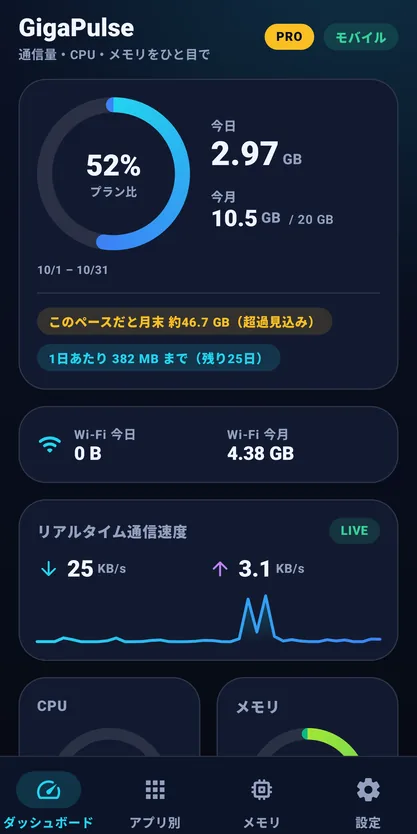
In short, a glance at your home screen tells you today's and this month's data usage, and you get a notification as you approach your limit.
GigaPulse
Mobile data, CPU and memory at a glance on your home screen, with a per-app ranking and limit alerts.
📲 Free Download* Still preparing for release — this link may not work until it goes live.
Who is this for?
It suits people who:
- Want to avoid hitting their data limit and getting slowed down
- Want to know which apps are using data
- Want mobile data, CPU and memory visible at a glance on the home screen
- Want a month-end forecast and a per-day allowance
- Want to tidy up background apps with one tap
Key features
| Feature | What it does |
|---|---|
| Home-screen widget | Always shows today's data and this month's data. CPU and memory usage are optional. Tap to open the app, tap the lightning button to free up memory |
| Per-app data ranking | Today / 7 days / this month / last month, mobile or Wi-Fi. Can also be sorted by background data |
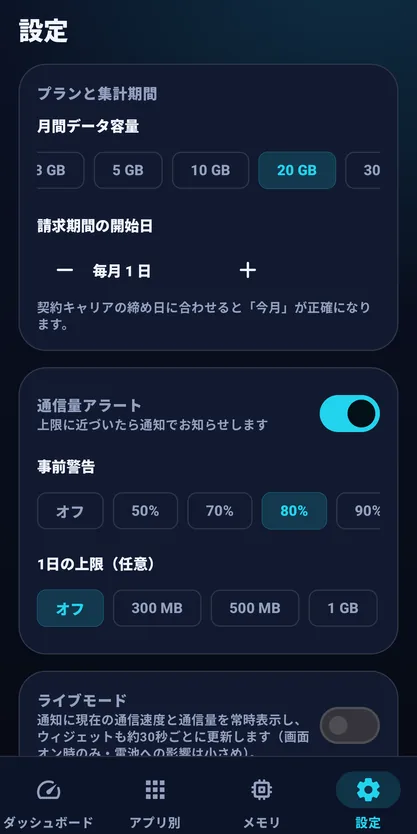
| Monthly and daily limit alerts | Set your monthly allowance and your carrier's billing day (1st-31st). Usage is shown as a ring, with an automatic month-end forecast and a per-day allowance. Early-warning and limit alerts, plus an optional daily limit |
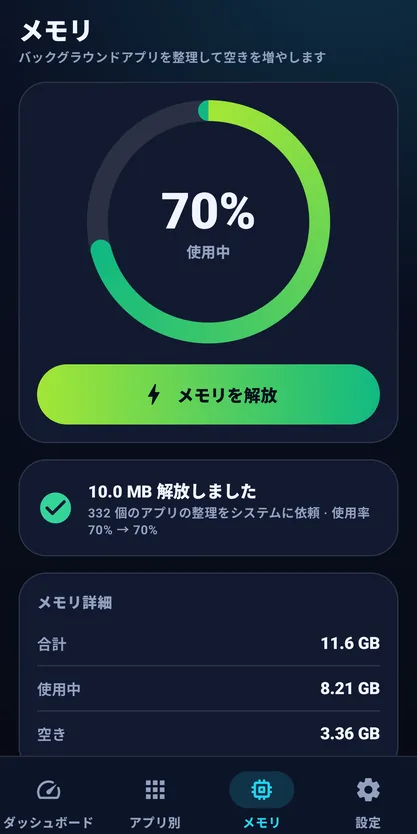
| Memory release | One tap asks Android to end background processes of apps you are not using. See memory usage before and after |
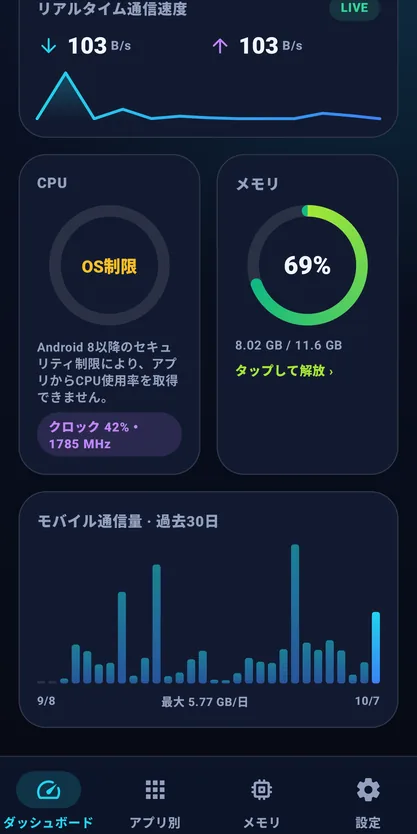
| Real-time speed and 30-day chart | Current speed and a chart of the last 30 days of data usage |
| Live mode (optional) | Shows current speed and usage in a persistent notification (off by default; works only while the screen is on) |
| Themes and sizes | Widget in 2x2, 4x2 and 4x4 sizes and four themes: Midnight, Aurora, Light and Glass. The app itself supports dark and light |
How it works
On first launch the app guides you to grant "Usage access," the permission needed to count data usage. Then add the GigaPulse widget to your home screen and set your monthly data allowance and your carrier's billing day. After that, a glance at the home screen shows today's and this month's data usage.
FAQ
Q. Where is my data usage shown?
A. The home-screen widget always shows today's data usage and this month's data usage. Open the app to see your monthly usage rate and month-end forecast too.
Q. Can I see which apps are using data?
A. The per-app ranking covers today, 7 days, this month and last month, for mobile or Wi-Fi. Sorting by background data makes it easier to find apps using data when you are not.
Q. Does memory release really free up memory?
A. One tap asks Android to end background processes of apps you are not using. You can compare memory usage before and after, but the effect is temporary.
Q. Why does CPU usage show “OS limit”?
A. On Android 8 and later, some devices do not let apps read CPU usage. GigaPulse then shows “OS limit.”
Q. Can it delete cache or junk files?
A. No. GigaPulse shows data usage, CPU and memory, and has no storage-cleaner feature.
Q. Is it free?
A. Yes, it is free to use with ads. A one-time PRO purchase removes the ads.
Worried about running out of data?
A glance at your home screen shows today's and this month's data usage. Keep track of your data with GigaPulse.
📲 Free Download* Still preparing for release — this link may not work until it goes live.