How to buy a paid Garmin watch face
SIGN's paid Garmin watch faces, data fields and apps are bought with KiezelPay, a payment service, as a single one-time payment. There is no subscription. Payment is handled by KiezelPay, not Garmin.
Prices differ by product. Please check each product's page in the Connect IQ Store.
Try it free first
You can try before you buy. How long depends on the product:
- Most watch faces: every feature is free for 24 hours after you install it.
- Tide Phase: 48 hours after you install it.
- The Cairn Pro and Cairn Cycle Pro data fields: your first 5 activities.
- The Multitime Pro app: up to 3 timers with the default vibration work with no time limit. The purchase screen appears when you use a Pro feature (a 4th timer, a non-default vibration pattern or a saved preset).
For the current terms, see the description on each product's store page. Free products and free editions have no purchase step.
How to buy in 3 steps
- The watch shows a purchase screen. When the trial ends (for some products, when you use a Pro feature), the watch screen shows a purchase code.
- On watch faces with a QR code: a QR code and a 6-digit code.
- On products that show a code only: a purchase code and the URL www.kzl.io/code.
- Open it on your phone and pay once.
- On watch faces with a QR code: scan the QR code with your phone. The KiezelPay page opens with the code already filled in.
- On products that show a code only (or if the QR code cannot be read): open www.kzl.io/code on your phone or computer and enter the code shown on the watch.
- On the KiezelPay page, pay once by card or PayPal. You never enter payment details on the watch.
- It unlocks by itself. After payment, it unlocks automatically within a few minutes (it can take up to about 5 minutes).
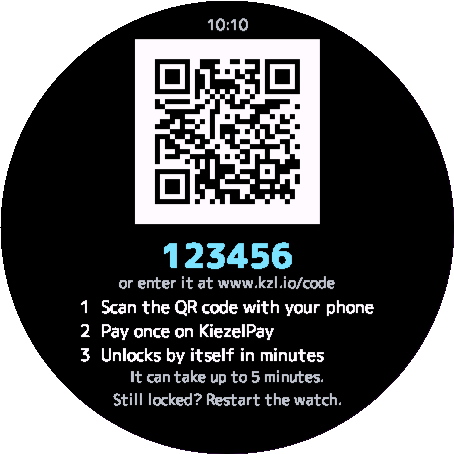
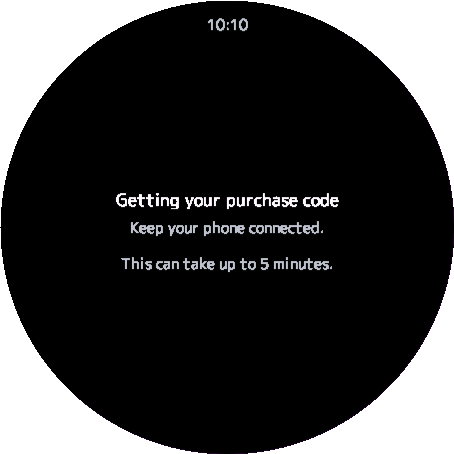
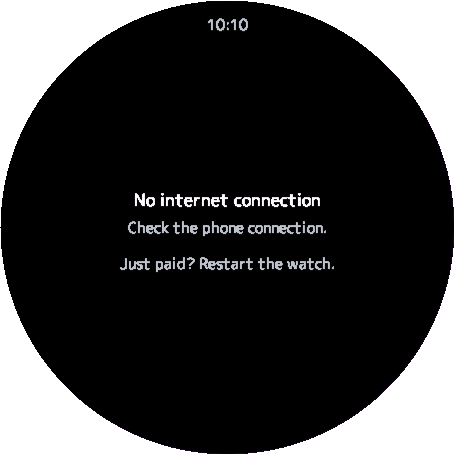
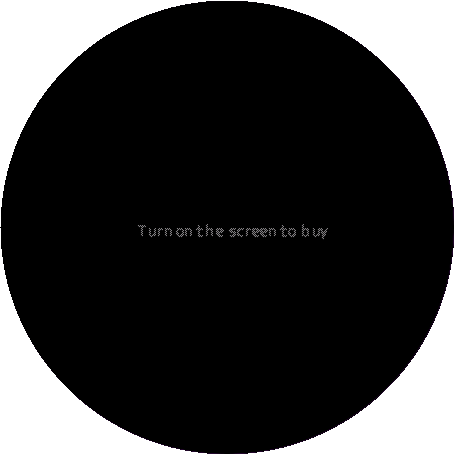
* Screens from the simulator (Venu 3) of a watch face with a QR code. The code 123456 is an example (scanning it does not buy anything).
Other supported watches on the same Garmin account do not need a second purchase (as described on each product's store page).
Common questions
Q. I paid, but it is still locked
A. Please wait a few minutes (up to about 5 minutes). The watch checks the unlock with KiezelPay over its connection. Check that the watch is connected to your phone and that your phone is online. If it is still locked, restart the watch.
Q. No purchase code appears, or the watch says "No internet connection"
A. The watch receives the purchase code from KiezelPay. Keep the watch connected to your phone and check that your phone is online. It can take up to about 5 minutes for the code to appear.
Q. The QR code does not appear in always-on mode
A. On watch faces with a QR code, always-on mode shows only one line, "Turn on the screen to buy". Turn on the screen to see the QR code and the code.
Q. I changed my watch, or I want to use it on a second watch
A. On supported watches used with the same Garmin account, no second purchase is needed. If it does not unlock, see "I paid, but it is still locked" above. If that does not help, please contact us through the contact form.
Q. Is this a subscription?
A. No. It is a single one-time payment, with no monthly or recurring charge.
Q. Do I enter payment details on the watch?
A. No. You pay on the KiezelPay page opened on your phone or computer.
Q. Questions about payment or refunds
A. Payment is handled by KiezelPay, not Garmin. For payment and refund questions, please see KiezelPay's information (kiezelpay.com).